2 min read
Terminal Setup on MacOS
A practical iTerm2 + Oh My Zsh setup on Mac: Homebrew, autosuggestions, syntax highlighting, and a maintainable .zshrc.
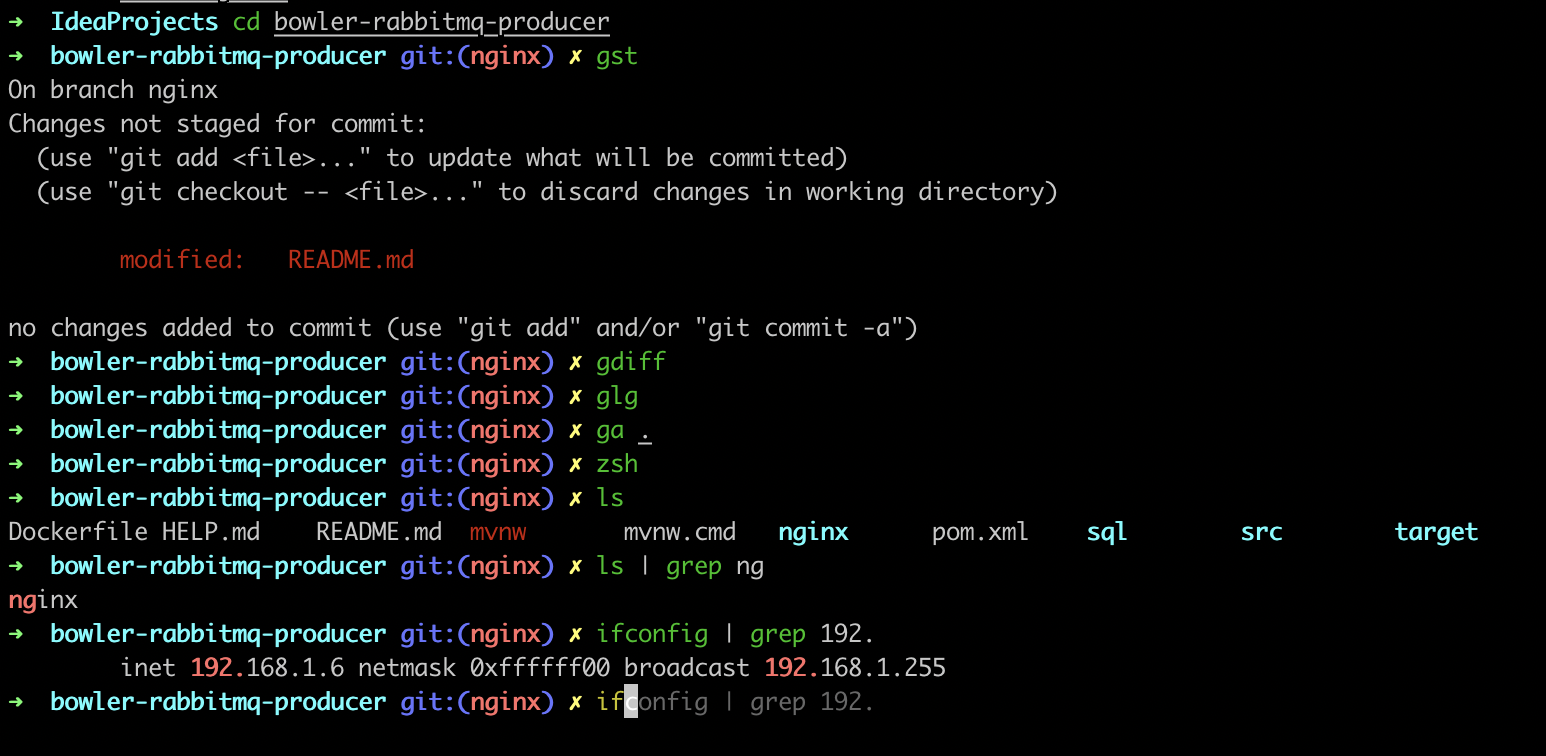
macOS ships with Terminal and, since Catalina, zsh as the default shell. That is enough to get work done. It is not enough if you spend most of the day in a shell: prompts stay hard to scan, history is underused, and there is no feedback on whether a command is valid before you run it.
This setup uses iTerm2, Oh My Zsh, and two small plugins. The goal is readability and speed, not a theme zoo.
Prerequisites#
Install Apple’s Command Line Tools if you do not already have them:
xcode-select --installInstall Homebrew:
/bin/bash -c "$(curl -fsSL https://raw.githubusercontent.com/Homebrew/install/HEAD/install.sh)"On Apple Silicon, follow the installer’s “Next steps” so brew is on your PATH (typically /opt/homebrew/bin).
iTerm2 and Oh My Zsh#
brew install --cask iterm2
brew install zsh
sh -c "$(curl -fsSL https://raw.githubusercontent.com/ohmyzsh/ohmyzsh/master/tools/install.sh)"
macOS already provides zsh; Homebrew’s formula is fine if you want a newer build. Oh My Zsh manages themes, plugins, and a sensible default .zshrc.
Open iTerm2 and make it your default terminal app if you prefer it over Terminal.app.
Autosuggestions and syntax highlighting#
brew install zsh-autosuggestions zsh-syntax-highlightingAdd both to .zshrc (paths differ on Intel vs Apple Silicon):
# Apple Silicon
source /opt/homebrew/share/zsh-autosuggestions/zsh-autosuggestions.zsh
source /opt/homebrew/share/zsh-syntax-highlighting/zsh-syntax-highlighting.zsh

# Intel Macs typically use /usr/local/share/...
Reload:
source ~/.zshrcYou should get grey ghost-text suggestions from history, and commands that turn red when the shell cannot find them.
Pick a theme if you want one. The default Oh My Zsh theme is fine:
ZSH_THEME="robbyrussell"
Going further#
Aliases, git helpers, and the rest of a personal config belong in .zshrc — keep that file versioned so a new machine is a clone away. My full config lives in Terminal-Setup-for-Mac.
If you only do one thing from this post: install autosuggestions and syntax highlighting. Everything else is optional polish.